
How to choose a fiscal till (SEF) - 8 questions to ask before you buy
A practical checklist for business owners choosing fiscal software in Kosovo - offline, devices, accounting, returns, operators, language, price and support.
Updated · 4 min read

In short: A good fiscal till should keep selling without internet, run on the devices you already have, connect directly to stock and accounting, handle cancellations and returns according to the rules of the tax authority (ATK), and have clear pricing. Ask every vendor these 8 questions - and ask them to show you in a demo, not just tell you.
Why choosing a till is a decision for years
The till is the most heavily used program in any business: hundreds of times a day, by different people, often under pressure. A slow or complicated till costs you in queues and mistakes. A till that doesn’t connect to your books costs you every month in your accountant’s hours. That’s why it pays to choose carefully.
1. Does it keep selling when the internet goes down?
If the till locks up without internet, you lose sales and create queues. Ask: is the receipt signed on the device and sent automatically later? Ask them to prove it: turn off the Wi-Fi during the demo and make a sale.
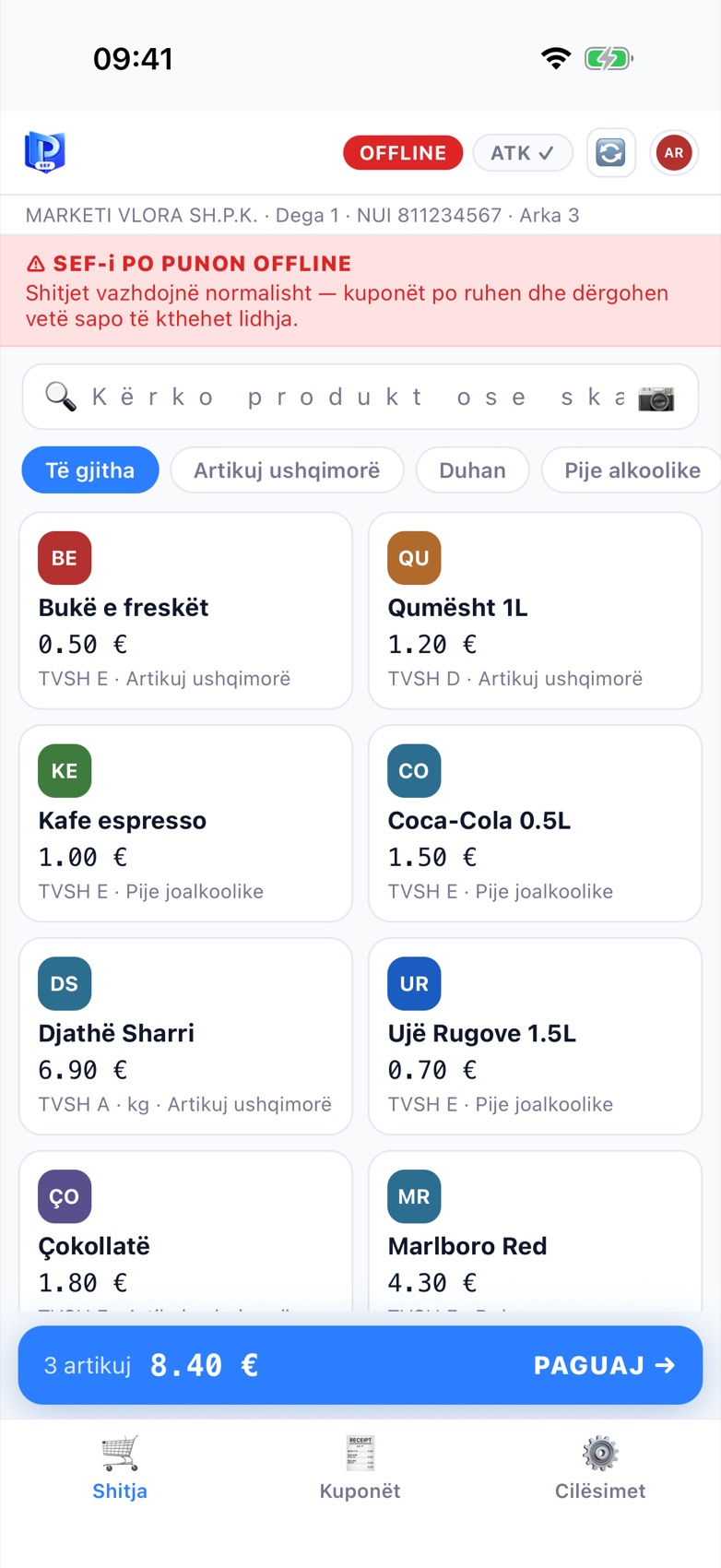
This is how it should look: a warning banner, but the sale goes on.
2. Which devices does it run on?
A Windows computer at the main till, phones for waiters, a tablet on the counter, a Mac in the office? The more devices one system covers, the fewer programs you pay for and the less training you need. Ask about printers too: thermal via USB, Bluetooth or network (IP)?
3. Does it connect to stock and accounting?
A till that isn’t connected to your books means re-entering data every month - and mistakes. Insist that every sale is deducted from stock and posted to the books automatically, with the correct VAT for each rate.
4. How are cancellations and returns handled?
Under the rules, a receipt is never deleted - a cancellation or return receipt is created and linked to the original. Test this in the demo before you buy: how many steps does it take, and does the till ask for a reason?
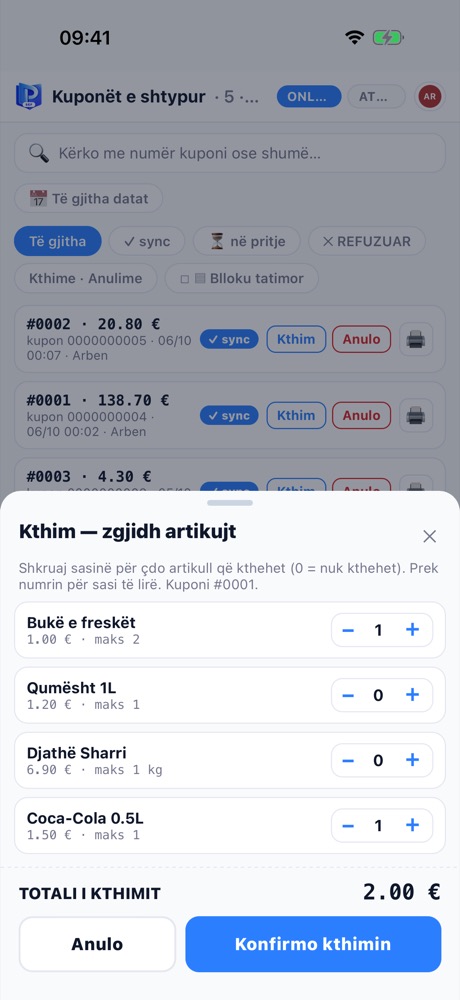
A good return flow: select only the items being returned, with the refund total.
5. Does it support operators and permissions?
Every cashier should have their own PIN, and sensitive actions (cancellations, discounts) should require manager approval. Ask about the audit log too: can an inspector see who did what, and when?
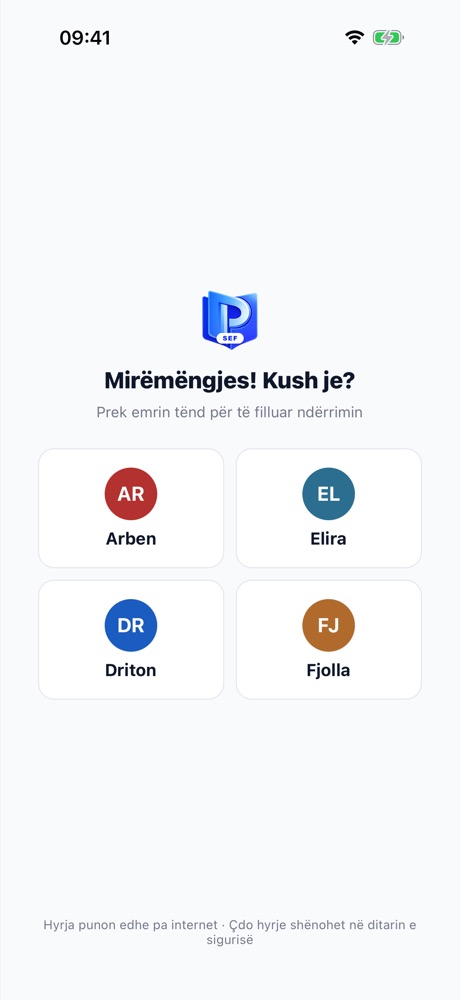
Every shift starts by choosing a name and entering a PIN.
6. What language is it in?
Your team should understand the till without a translator. Check whether it is available in Albanian and Serbian, both on the till and in the reports. The fiscal receipt itself, on the other hand, is always printed in Albanian, as ATK requires.
7. What does it cost in total?
Add everything up: the till licence, the monthly subscription, printer and scanner, installation, training and migration from your old software. Ask for a written quote for your number of tills.
8. Who helps you when something goes wrong?
Ask about setup, migration and support - in which language, during which hours and how quickly. Ask how the till is updated, too: does someone have to come on site, or does it update itself without stopping sales?
How ProBooks answers
| Question | ProBooks |
|---|---|
| Offline | Yes - sales are never blocked; the 48-hour window is counted for you |
| Devices | Windows (MiniPOS), iPhone, Android, iPad, Mac (SEF Mobile), web |
| Printers | Thermal 58/80 mm, Bluetooth and network (IP) |
| Accounting | Yes - stock, books and VAT on the same platform |
| Cancellation / return | Receipts linked to the original, with a reason |
| Operators | PIN for every cashier, manager approval, audit log |
| Languages | Albanian, English, Serbian |
| Price | Yearly packages by type of business and number of tills - work it out with the price calculator |
| Support | Setup, migration and training; automatic updates |
Next step
Don’t choose from a brochure. Ask for a demo with your own items - we prepare it in 15 minutes and give you the exact price for the tills you need. Book your demo here.
See also: SEF fiscal till in Kosovo · Electronic Fiscal Software (SEF): what it is and how to get it