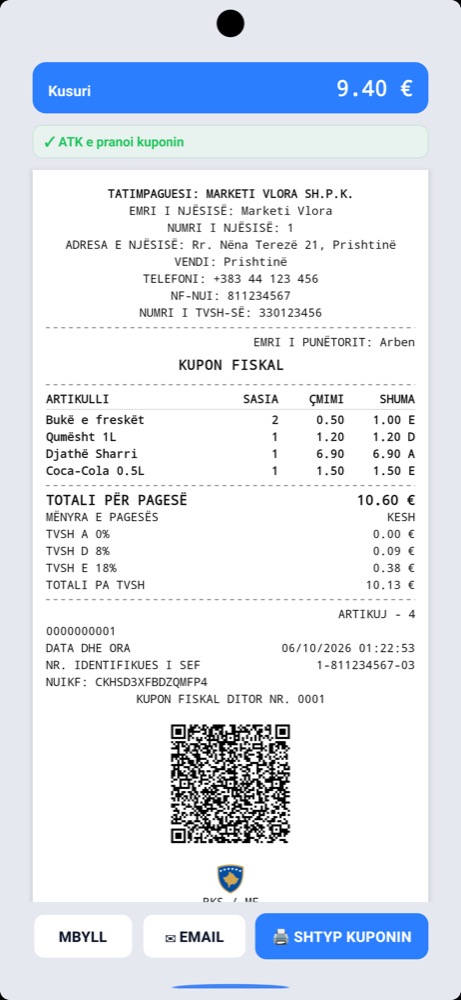
In short: Electronic Fiscal Software (SEF) is the program certified by the Tax Administration of Kosovo (ATK) that fiscalizes receipts without a fiscal memory device: every receipt is digitally signed at the till, gets a verification QR code and is sent to ATK in real time; without internet it is stored and sent automatically. SEF is governed by Administrative Instruction (MFPT) no. 01/2026 of 27 April 2026. Only a program listed in ATK’s public registry counts, and on 16 October 2026 that registry held 23 certifications. ProBooks is a certified SEF (no. 964020394056, 13 October 2026) for Windows, macOS, Android and iOS.
What a SEF is under Instruction 01/2026
Administrative Instruction (MFPT) no. 01/2026 on the use of electronic fiscal devices, fiscal systems and electronic fiscal software makes software an official route to fiscalization alongside fiscal devices (PEF). It replaces instruction 02/2018 and instruction 01/2025, which the Supreme Court annulled in July 2025. In plain words: a SEF is the fiscal till as software. It runs on a computer, laptop, tablet or phone and does the same job as a fiscal device, but it proves the receipt with a digital signature and a QR code rather than fiscal memory.
What a SEF must do
The instruction requires every certified SEF to:
- sign every receipt electronically with the till’s private key;
- authenticate to ATK with a digital certificate and communicate over a secure connection (HTTPS);
- generate the verification QR code on every receipt, even when the sale is made offline;
- print the receipt in ATK’s format and send ATK the required requests;
- receive updates and work in several languages;
- keep working without internet: receipts are stored securely and sent automatically as soon as the connection returns.
For every till (point of sale) the business obtains a digital certificate and a fiscalization number from ATK’s system. The software developer, not the business, applies for certification: you pick a program from the registry.
SEF or fiscal device (PEF)?
| Fiscal device (PEF) / fiscal system | Electronic fiscal software (SEF) | |
|---|---|---|
| Form | A device with fiscal memory | A certified program |
| Where it runs | Only on the fiscal device | Computer, laptop, tablet, phone |
| Proof of the receipt | Fiscal memory | Digital signature and QR code |
| Without internet | Depends on the device | The receipt is stored and sent later |
| Changes | Often via a technician | In the software |
| Returns and cancellations | A procedure on the device | Find the receipt in the software, pick the items; the new receipt links to the original by itself |
| Link to accounting | Usually by hand | Automatic, when the software has it |
The practical comparison for every type of business, with prices, is on the SEF fiscal till in Kosovo page.
Who must use a SEF, and when
- Who issues a fiscal receipt: every supplier of goods or services to the final consumer, whatever the payment method. Business-to-business sales use a tax invoice, not a receipt.
- Who must install a SEF: businesses selling retail or providing services at places open to the public, and public institutions that accept cash. Businesses that supply only other businesses with invoices are exempt.
- A business with a fiscal device can keep using it or move to a SEF voluntarily whenever it wants; when the move becomes mandatory is set by the Minister of Finance by decision.
- A business without a fiscal device does not buy a PEF but installs and uses a SEF; the instruction gave 60 days from its entry into force for this, with a tax receipt block fiscalized in EDI until then (article 50).
How to verify that a program is a certified SEF
- Open ATK’s public registry of SEF.
- Find the program’s name and click Shiko (view): there you see the SEF number, version, certified devices and date.
- If the program is not on the list, it is not a SEF, however it is advertised: POS, till app or fiscal till.
On 16 October 2026 the registry held 23 certifications for 22 products; only five run on Windows, macOS, Android and iOS. The full list with devices is in ATK’s registry.
How to get a SEF: 4 steps
- Unique Fiscalization Code in the EDI system: Fiskalizimi → Kërkesë për Fiskalizim. The service opened on 9 July 2026 and also applies to businesses moving from PEF to SEF.
- Pick the program from the registry by the devices you have and the link to your accounting (see 8 questions before you buy).
- Register the till: the program obtains the digital certificate and fiscalization number for every point of sale.
- The first receipt, with a QR code and the accepted status from ATK.
ProBooks as a SEF
ProBooks is fiscalization and accounting software for businesses in Kosovo, certified by ATK as a SEF on 13 October 2026 with number 964020394056, for Windows, macOS, Android and iOS. The two tills, SEF Mobile for phone, tablet and Mac and MiniPOS for Windows, connect to ProBooks web, where every sale reduces stock and posts to the books. The first till costs €100 a year; full prices are on the pricing page, and what the receipt, offline work and refunds look like is in the complete guide to fiscalization with SEF.
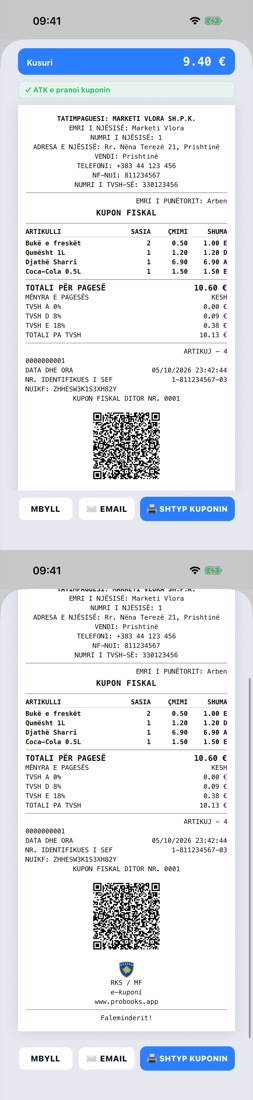
The full receipt to ATK’s specification, with the VAT letters and the QR code.
Frequently asked questions
What does SEF mean? Electronic Fiscal Software: a program certified by ATK that issues fiscal receipts with a digital signature and a QR code, without a fiscal memory device.
Is every POS or till app a SEF? Only if the program is in ATK’s public registry. A POS or till app without certification cannot issue a valid fiscal receipt.
Is a digital certificate needed for every till? Yes. Every SEF installed at a point of sale has its own digital certificate and fiscalization number from ATK’s system.
Can I use a program that is not in the registry? No. A receipt is valid only from a certified SEF; the developer applies for certification, the business only picks from the list.
What happens to the fiscal device I already have? You can keep it or move to a SEF voluntarily whenever you want. The mandatory move for businesses with devices is decided by the Minister of Finance; until then you are not obliged to change.
How much does a SEF cost? It depends on the vendor; most do not publish prices. ProBooks does: €100 a year for the first till and €50 for each additional till.
Sources
- Administrative Instruction (MFPT) no. 01/2026, 27.04.2026 - full text on ATK’s website
- Public registry of certified SEF - ATK, checked on 16.10.2026
- ATK notice on the “Request for Fiscalization” service in EDI, 09.07.2026
This text is informative; for your own case consult ATK or your accountant.