Price calculation
Re-price many items in one table, with each item’s price history.
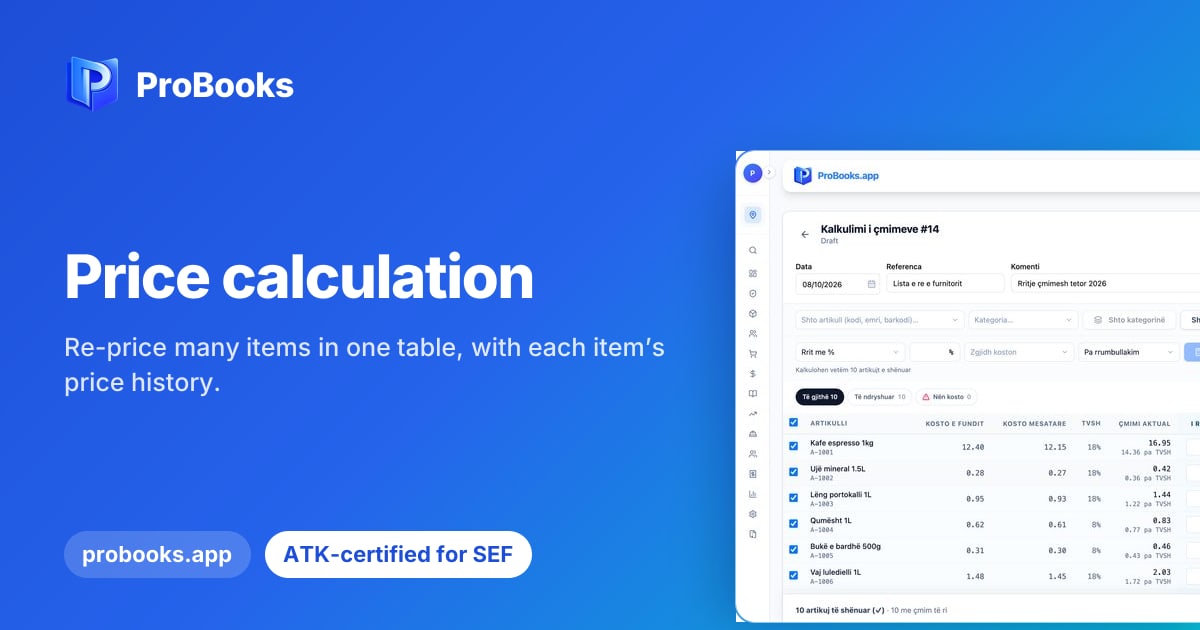
The new Kalkulimi i çmimeve (price calculation) page lets you change the prices of many items at once, in a single table, instead of opening each item one by one. It is meant for shop owners and businesses with a long item list, and for the accountants who support them. Each item keeps its price history, so you always know what changed and when it changed.
In practice, you open the price calculation page and the items appear in rows, each with its current price. You move through the table and type the new price where it is needed, without leaving the page or opening separate forms. When you want to see how an item’s price moved before, you open its history. When you are done, you save the changes and the new prices are ready to use.
When prices change, for example after a new list from a supplier, editing item by item takes time and leaves room for mistakes: one item is forgotten, another gets the wrong price. With a single table you see the whole picture before you save. The price history also gives you a clear trail: when someone asks why an item had a different price earlier, the answer is right there.
If you manage many items and want to see how this works in practice, ask our team for a demo. We will show you the calculation table, the price history and how it fits the way you work today. You can also write to us with specific questions about your own case, and we will answer with examples from everyday work.