Partner programme
Accountants and consultants earn a commission for every company they bring, with a personal link and payout requests to their IBAN.
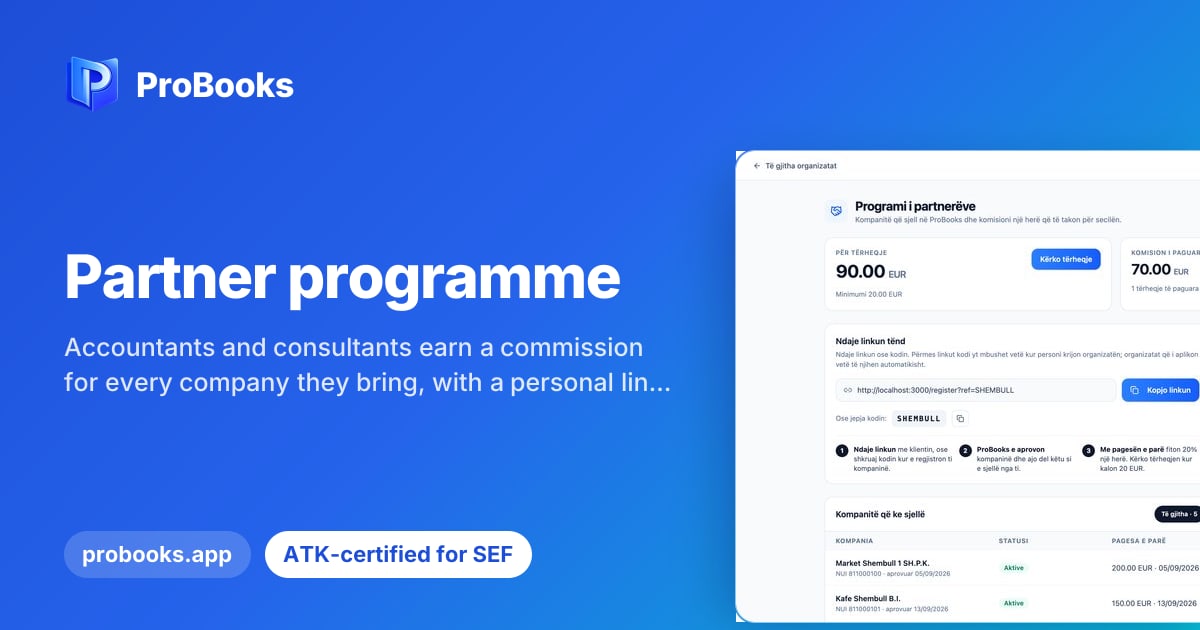
ProBooks has opened a partner programme for accountants and consultants who recommend the platform to their clients. Partners are approved by ProBooks, and each partner’s commission rate is set at approval. For every company that comes through a partner, the partner earns a one-time commission. The programme is meant for people who already work with many businesses and want a clear, documented arrangement rather than an informal one.
Once approved, a partner gets their own code and a registration link. The client types the code when creating the organisation in ProBooks, or the code is filled in automatically if the client signs up through the partner’s link. The partner page shows balances and a single table of referred companies. To withdraw, the partner adds bank details (IBAN) and requests a payout; ProBooks approves and transfers it, and every payout is kept in the history.
For the partner, everything is in one place: which companies registered with their code, what the balance is and what has been paid so far. There is no need for separate spreadsheets or for chasing statements by email. For the client, sign-up stays the same, with just one extra field or with the code already filled in. That keeps the relationship clean and verifiable for both sides.
If you are an accountant or consultant and think the programme suits you, write to us and tell us a little about your work. We will explain how approval works, what the partner page shows and how payouts are requested. We can also arrange a short session to show you the platform you would be recommending to your clients.