“Today” - the day’s tasks
At the top of the home page: what needs doing today - invoices falling due, drafts, payments - in one card.
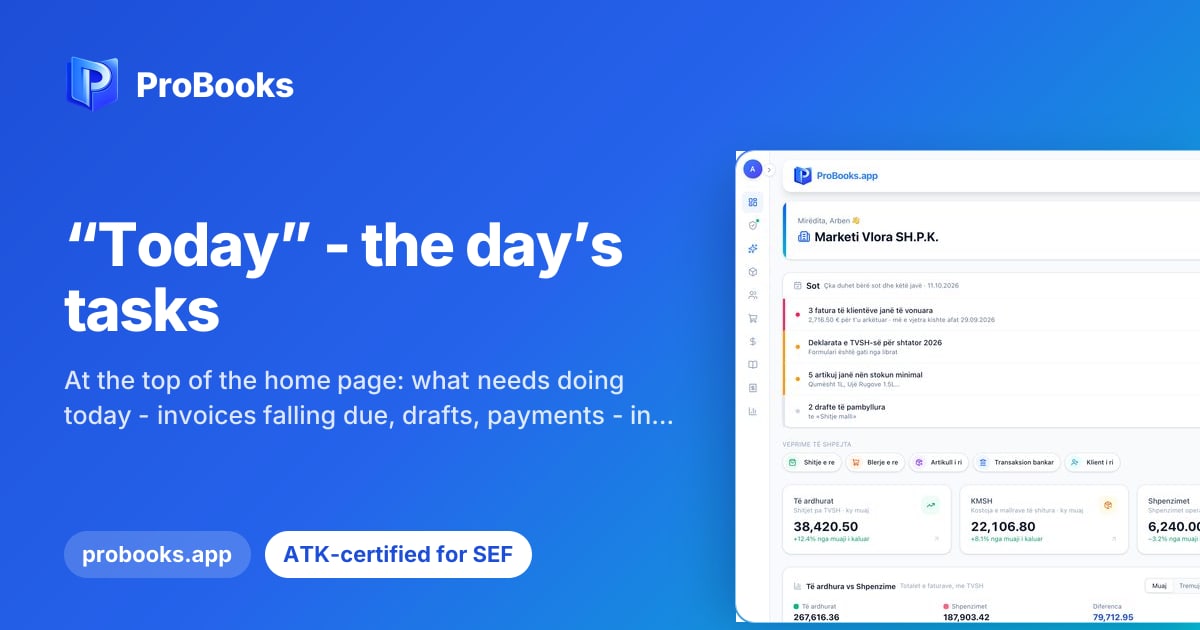
A Sot (Today) card now appears at the top of the company home page. It gathers the owner’s tasks for the day and the week in one place: overdue customer invoices, the VAT return deadline, payroll taxes, supplier invoices to pay, items below minimum stock, unmatched bank lines, unfinished drafts and problems found by the book check. It is for owners who want to start the day with a clear view of what needs attention.
When you sign in to ProBooks, the Sot card is the first thing you see. Each row shows one concrete task, for example invoices that are past due or a draft that was never finished. Next to each row there is a button that takes you straight to the right page, where the task is done. Once it is done, you return to the home page and move on to the next row, without searching through menus.
Most delays in bookkeeping do not come from hard work but from things that slip: a VAT deadline, a supplier invoice, a draft left halfway. When all of these sit in one card, you do not need to open five pages to know where you stand. That saves time every morning and helps make sure deadlines towards ATK and towards your business partners do not pass unnoticed.
The Sot card is best seen with the data of a real company. Ask us for a demo and we will show you what an owner’s day looks like in ProBooks, from the first row to the page where the task gets done. If you have questions about which tasks would appear in your case, write to us and we will answer.